Spotify to MP3 Made Easy: Download Any Song Offline with ViWizard
July 21, 2025
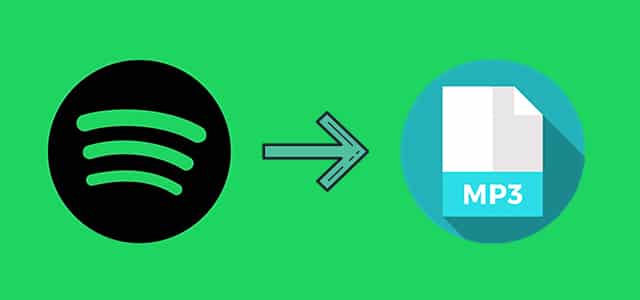
While Spotify reigns as the world’s top music platform with 100 million+ tracks, its DRM protection locks your favorite songs behind digital bars. However, one major limitation is that Spotify does not allow users to download songs in MP3 format for offline playback on any device. This restriction can be frustrating, especially for users who want to enjoy their favorite tracks offline without a premium subscription or internet connection.
That’s exactly why ViWizard Spotify Music Converter was created – to set your music free. This powerful tool enables users to download Spotify music to MP3 effortlessly while preserving the original audio quality. In this guide, we’ll explore why ViWizard is the best choice for converting Spotify songs and how you can use it to build a personal offline music library.
Why You Need a Spotify to MP3 Converter?
Before diving into how ViWizard works, let’s understand why converting Spotify music to MP3 is beneficial:
- Offline Listening Without Spotify Premium
- Spotify Premium allows offline downloads, but these files are encrypted and can only be played within the Spotify app.
- Converting Spotify songs to MP3 lets you listen offline on any device, even without a subscription.
- Compatibility with All Devices
- MP3 is a universal format supported by smartphones, MP3 players, car stereos, and other media devices.
- Unlike Spotify’s DRM-protected files, MP3s can be transferred and played anywhere.
- Backup Your Favorite Music
- If a song gets removed from Spotify, you’ll lose access unless you’ve saved it locally.
- Converting Spotify tracks to MP3 ensures you always have a backup.
- Create Custom Playlists for Personal Use
- Converted MP3 files can be edited, remixed, or used in videos without restrictions.
Given these advantages, a reliable Spotify to MP3 converter is essential—and ViWizard Spotify Music Converter stands out as the best option.
Why ViWizard Spotify Music Converter is the Best Choice?
Among various Spotify downloaders, ViWizard Spotify Music Converter offers unmatched features:
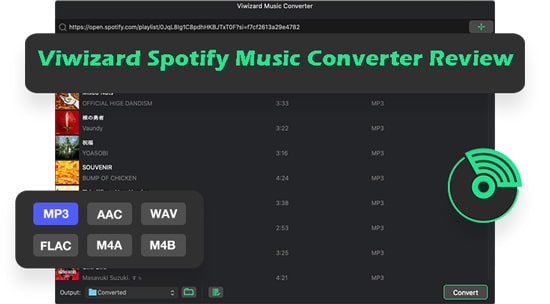
✅ Removes DRM Protection – Downloads and converts Spotify contents into DRM-free MP3, AIFF, FLAC, WAV, and other formats.
✅ Preserves 100% Original Quality – Maintains high-quality audio with lossless conversion.
✅ 5X Faster Conversion Speed – Downloads and converts Spotify music quickly.
✅ Keeps Metadata & ID3 Tags – Retains song details like title, artist, album, and cover art.
✅ User-Friendly Interface – Simple and intuitive, even for kids.
✅ Supports Free & Premium Spotify Accounts – Works with both account types.
Unlike screen recorders or online converters (which often produce low-quality results), ViWizard ensures a seamless and high-fidelity conversion process.
How to Use ViWizard Spotify Music Converter to Download Spotify Music to MP3?
Ready to get started? Here’s a step-by-step guide to using ViWizard Spotify Music Converter:
Step 1: Download and Install ViWizard
Visit the official ViWizard website and download the Spotify Music Converter for Windows or Mac. Install it just like any other program.
Step 2: Log in to Your Spotify Account
After installing the software, launch ViWizard and you’ll see the built-in Spotify web player. In the top right corner, click on this section and enter your account details. You can then browse your Spotify music library.
Step 3: Add Spotify Songs to ViWizard
In your Spotify music libraty, find the song, album, or playlist you want to convert, then drag and drop it into ViWizard or clik in the button of Download located in the lower right corner. You can also paste the Spotify URL into the search bar to add music.
Step 4: Choose Output Format (MP3)
Click the Menu icon > Preferences > Convert tab, and select MP3 as the output format. You can also customize:
- Bit rate (up to 320kbps)
- Sample rate
- Output folder location
Step 5: Start the Conversion
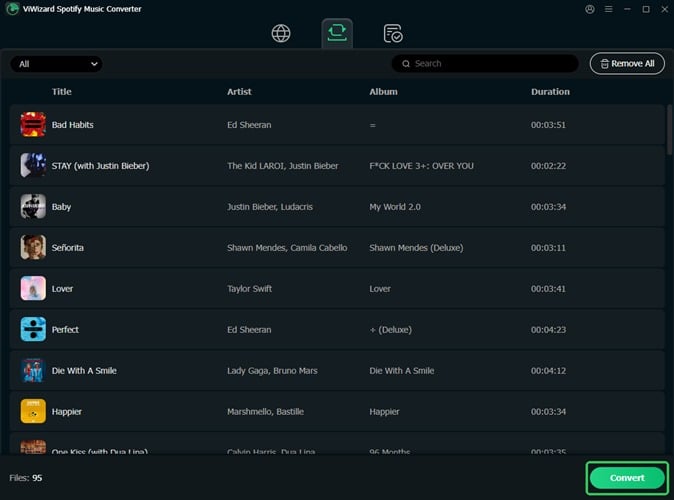
Hit the Convert button, and ViWizard will begin downloading your selected tracks (15x speed). The process is quick, and you can monitor the progress in real time.
Step 6: Enjoy Your MP3 Files
Once finished, click the Converted icon to browse your downloaded MP3 files. Now you can move them to any device, create playlists, or archive your music library permanently.
Alternative Methods to Download Spotify Music to MP3
While ViWizard is the most efficient solution, some users explore alternative methods, such as:
- Screen Recording (Low Quality & Time-Consuming)
- Records audio in real-time, leading to quality loss.
- Requires manual editing to remove silence or ads.
- Online Spotify Converters (Risky & Unreliable)
- Many websites violate Spotify’s terms and may distribute malware.
- Often have download limits and poor audio quality.
- Audacity with Virtual Audio Cable (Complex Setup)
- Requires technical knowledge to route audio correctly.
- Still results in quality degradation compared to ViWizard.
Conclusion: ViWizard is the safest, fastest, and highest-quality method to download Spotify music to MP3.
Final Thoughts: Enjoy Spotify Music Anywhere with ViWizard
If you want to download Spotify music to MP3 without losing quality, ViWizard Spotify Music Converter is the ultimate solution. It removes DRM, preserves metadata, and converts songs at blazing speed—making it the best choice for music lovers.
Why Wait? Try ViWizard Today!
🔹 Free Trial Available – Test before purchasing.
🔹 No Quality Loss – Get perfect MP3 files every time.
🔹 Works on Mac & Windows – Fully compatible with all systems.
Visit the official website now to start building your offline Spotify music library!